Youth Sports Website Best Practices for Volunteer-Run Leagues

Sierra Swigert Last updated: June 25, 2026

Running a youth sports league on nights and weekends means your website has to pull its weight. When a parent tries to register at 10 p.m. and hits a broken form, or a coach can't find the updated field address before Saturday's game, that problem usually lands back on a volunteer.
Many leagues end up managing a website, social media pages, Google Forms, payment apps, and group chats all at once. Over time, that patchwork setup creates extra admin work instead of saving time.
This guide walks through best practices for youth sports websites that help volunteer-run leagues stay organized, communicate clearly, and make registration season easier for everyone involved.
Your website is more than a brochure
With youth sports participation on the rise, many leagues are managing more families than ever, often with the same small volunteer crew.
Your website should handle registration, payments, schedules, and updates in one place. Without that, volunteers end up bouncing between Facebook, Google Forms, and Venmo late at night just to keep the season moving.
✅ Quick check: Can families register, pay, and find schedules without leaving your site? If not, your setup may be creating extra admin work instead of reducing it.
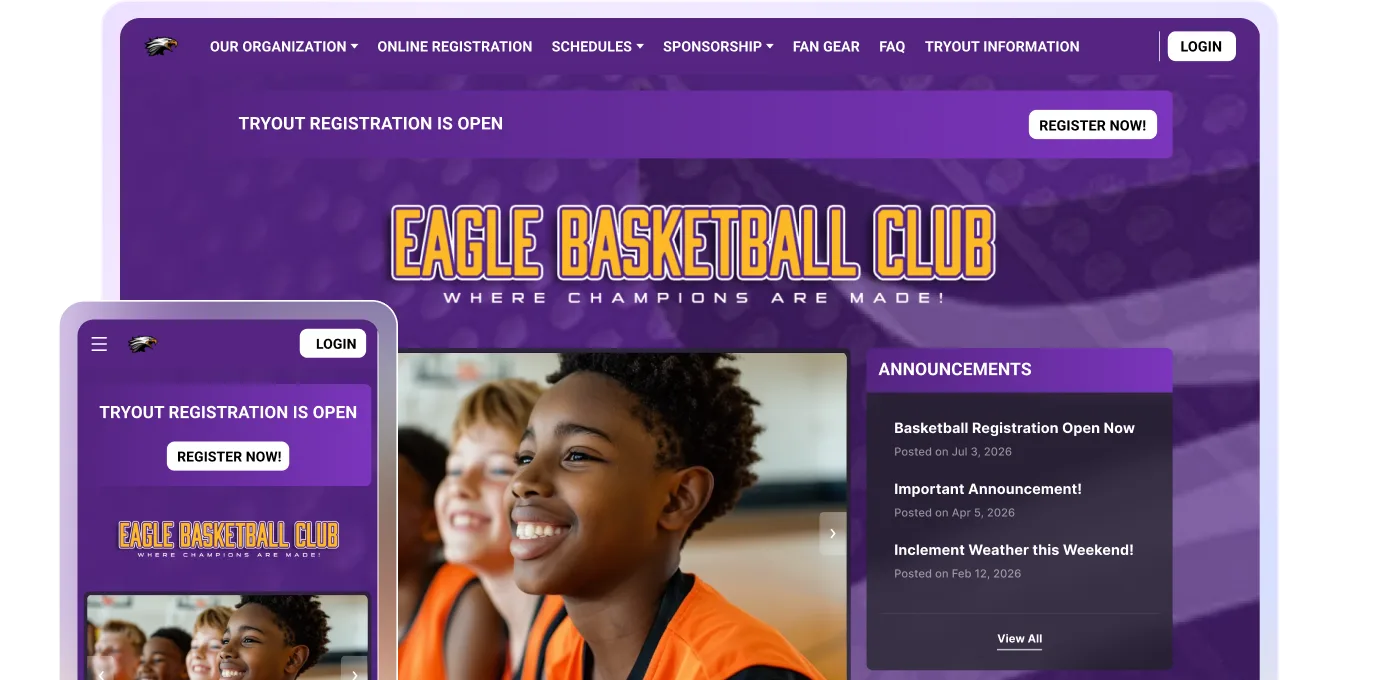
Make it mobile-first, because parents are on their phones
Most families check schedules, rainout alerts, and registration links on their mobile phones in a parking lot or during their lunch break, not on a desktop computer.
Open your site on your phone and test the menu, registration form, and payment flow. If anything is hard to tap, slow to load, or confusing to navigate, some families may give up before they finish registering.
Mobile-friendly design is no longer a bonus feature for any website. Parents expect fast, easy-to-use pages from every organization they interact with, including local leagues, teams, and sports clubs.
Put registration and payments front and center
Most families visit your site with one goal: register their child. Your registration button should be easy to find on the homepage, in your top navigation, and anywhere you share season updates.
Families should be able to sign up, pay fees, and submit forms without moving between multiple apps or email threads. The more steps you add, the more likely people are to stop halfway through or reach out with questions.
For volunteer-run leagues, keeping these features connected to your website can also reduce manual tracking and follow-up during the busiest parts of the season.
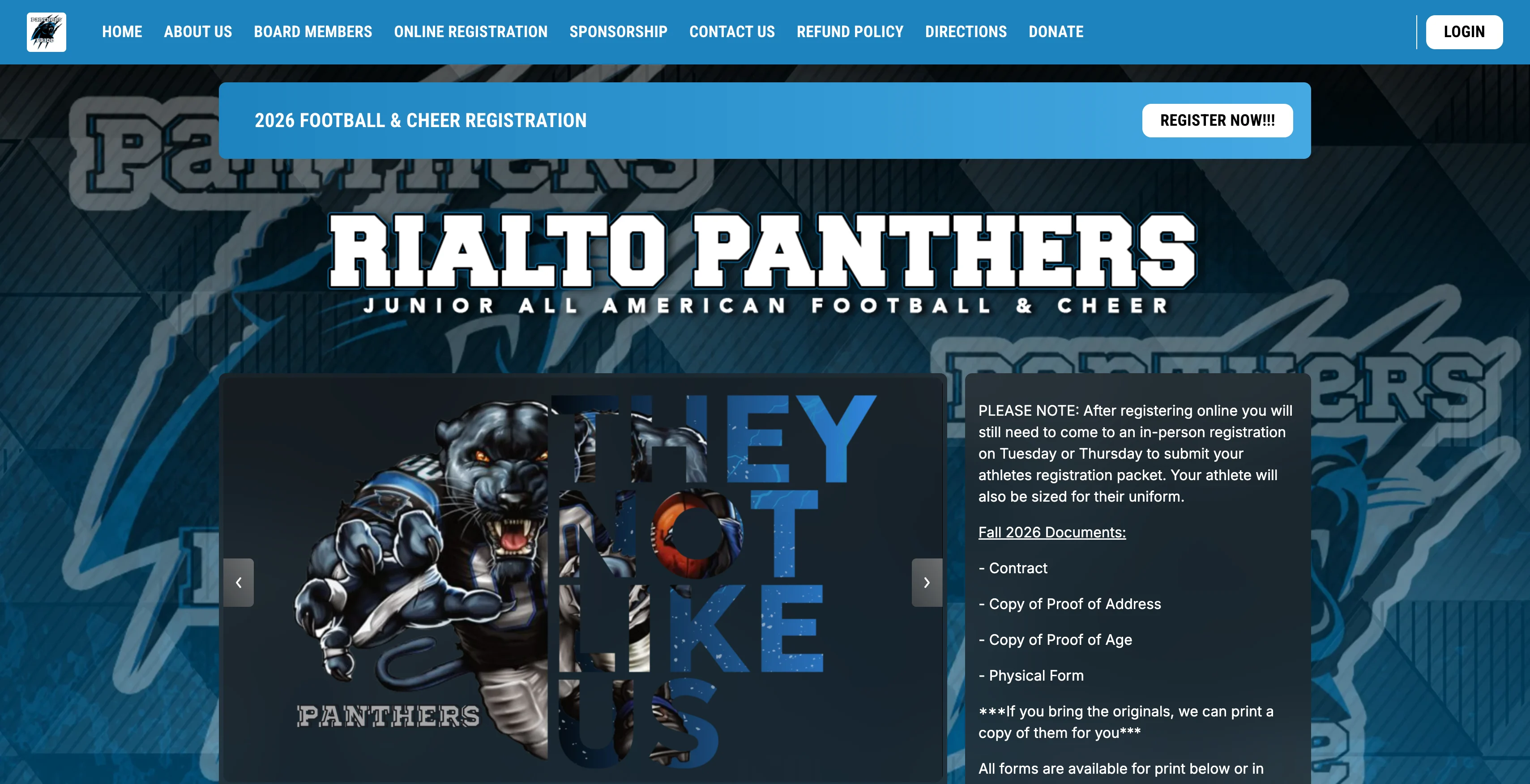
A youth football and cheerleading site using Jersey Watch to build their website and register athletes
Skip the paper forms and Venmo requests
Online registration keeps everything in one place. Parents can acknowledge waivers, pick a jersey size, and pay fees in a single session instead of printing forms or sending separate payments.
That means fewer missing forms, fewer unpaid balances, and fewer follow-up texts for volunteers managing registration week. Your records are complete the moment a family hits submit.
Make sure your platform handles minor data responsibly
Youth sports registration often collects sensitive information, including medical notes, emergency contacts, and signed waivers. Because that information belongs to young athletes, it’s important to understand how your platform stores and protects it.
Before choosing a platform, ask practical questions about who can access data, how forms are stored, and how permissions are handled. Volunteer-run youth sports organizations usually don't have dedicated IT support, so these protections should be built into the platform itself.
Keep navigation simple for busy families
Picture a parent grabbing their gear five minutes before practice and searching your site for the field address. If they have to dig through three menus to find it, you've already lost them.
👀 Action step: Open your top navigation and ask whether each link helps a parent complete a common task, like finding game and tryout schedules, age groups, contacts, field maps, or forms. If it doesn't, remove it or move it down.
Parent needs come first. Board preference pages can wait.
The pages every youth sports site needs
A few essential pages do most of the work: homepage, registration, schedules, contact information, FAQ, sponsorship page, and a news section.
Your homepage carries the most weight. It should show current season details, your next important date, and direct links to registration and schedules without making families dig for them.
See examples of effective youth sports websites to learn how other leagues organize their pages and information.
Keep your content current so families trust what they see
Outdated website content quietly drives families away. If a parent finds last year's registration link and gets an error, they may assume your league is inactive and sign their player up elsewhere.
Assign someone to own updates for your homepage banner, registration dates, board contacts, and announcements. A simple monthly review can help keep important information from going stale.
Build for the volunteer who comes after you
Board members and coaches rotate out every season. When they do, important accounts and information can walk out with them.
Picture a departing member who holds the only login to your registration platform. Payments stall, and families can't sign up right before the season starts.
Before your next handoff, make sure your league has a clear process for transferring logins, payment access, and communication tools to the next group of volunteers.
Store everything at the organization level, not a personal account
Personal Gmail accounts, payment apps, and private spreadsheets create problems when leadership changes.
Keep your domain, payments, registrations, and admin access tied to shared league accounts, not anyone's personal email, so the next volunteer can step in without rebuilding systems or tracking down passwords.
Help local families find you on Google
When a family moves to town and searches for "youth soccer in Columbus" or "Little League near me," your program needs to show up.
Start with these basics:
- Page titles: Include your city and sport in your homepage title tag.
- Contact page: List your current address, phone number, and email.
- Google Business Profile: Claim it, complete it, and keep it updated.
These small steps can make a real difference when first-time families search for local programs.
Make your site work for every family in your community
Small design choices determine whether families complete registration or give up. A low-contrast gray button on a phone screen, for example, may be hard to see for a parent registering between errands.
Check these basics on your registration forms, schedules, and announcements:
- Bold, high-contrast text
- Descriptive link labels ("Register now" beats "Click here")
- Alt text on images
Clear, easy-to-use pages help more families get the information they need without extra frustration.
Know what a platform actually costs you vs. what it saves
The cheapest website option isn't always the cheapest in practice. If your league uses a separate website, registration form, payment app, and group chat, volunteers may spend hours every week stitching everything together.
Add it up: three hours a week managing missed payments and chasing registrations equals more than 150 hours over the course of a season.
As growing youth sports participation brings more families into local programs, many leagues are handling more manual work than they did a few years ago.
Digital systems now support many core sports operations. In some cases, using a single platform for registration, payments, and communication can save time while reducing tool switching and manual work.
Your website should make running your league easier, not harder
A strong youth sports website helps volunteers stay organized, reduce admin work, and keep families informed throughout the season. It should make common tasks easier for everyone involved, not create more confusion behind the scenes.
Platforms like Jersey Watch are designed to bring registration, payments, schedules, communication, and website management into one place so leagues can spend less time switching between tools and more time focused on youth development and the season itself.
If your current website setup creates more headaches than it solves, it may be time for a simpler approach. Get started for free with Jersey Watch.
FAQs
What should a youth sports website include?
A youth sports website should include registration, payments, schedules, contact information, announcements, and clear next steps for families. It also helps to post league policies, volunteer details, sponsorship information, and current season dates so families know they’re looking at accurate, up-to-date information. If parents have to hunt for the basics, your site is creating work rather than saving time.
What makes a youth sports website mobile-friendly?
Mobile-friendly youth sports sites load quickly, fit small screens, and keep buttons, forms, and schedules easy to use on a phone. That matters because most parents check game details, registration links, and rainout updates between errands, work, and practice pickup. Before launch, test every page on an actual phone, not just a desktop preview.
How do I make online registration available on my sports website?
Add a clear "register now" button on your homepage and connect it to a form that collects player details, waivers, and payments. An integrated platform works well because families can sign up, pay, and get updates without bouncing between separate tools. That setup may help volunteers spend less time chasing paperwork and more time running the season.
Do youth sports websites need to comply with COPPA or child privacy laws?
If your site collects player information online, make sure your platform handles minor data responsibly and supports the required privacy steps. That usually means collecting only what you need, storing it securely, and giving families clear information about forms, waivers, and consent. The FTC’s COPPA overview explains the basics of online child privacy protections. For volunteer-run leagues, built-in privacy controls can make compliance more manageable.
What is the best website builder for youth sports leagues?
The best option is usually the one that combines your website, registration, payments, scheduling, and communication into a single, simple system. That kind of setup can save volunteers time, reduce tool-switching, and make handoffs easier when leadership changes. If you want something practical, Jersey Watch may be a good fit for leagues that need simple setup and everyday tools.

Sierra SwigertOperations Manager
Sierra Swigert is the Operations Manager at Jersey Watch. She works directly with youth sports organizations every day and writes educational resources based on her firsthand experience supporting league administrators and volunteers, as well as her background competing in cross country and track.


