
A good youth sports registration form can simplify a busy preseason. When it's clear and easy to complete, it helps leagues collect accurate information, communicate expectations, and start the season organized. It can even help organizers recruit new volunteers by showing families exactly what support is needed.
Many volunteers want a simple form they can reuse each season, but aren't always sure what to include or how to keep it parent-friendly. This guide provides a reusable template and outlines the essential fields, common mistakes to avoid, and how a clean form supports everything that follows — payments, communication, rosters, and safety.

What to include in your youth sports registration form
Watch the quick video for an overview on how to set up registration and online payments.
Player information
Accurate player information makes it easier to group participants by name, age, grade, or experience level. It also helps organizers understand their overall registration mix, which is especially useful when planning divisions or building rosters for a new season.
To reduce typos and formatting issues from busy parents or guardians:
- Use separate fields for players' first and last names to simplify sorting.
- Choose a dropdown or date selector for date of birth.
- Collect grade information if you use it to create divisions.
Dropdowns and separate fields keep data consistent and prevent common issues, such as mixed-up birthdays or missing last names.
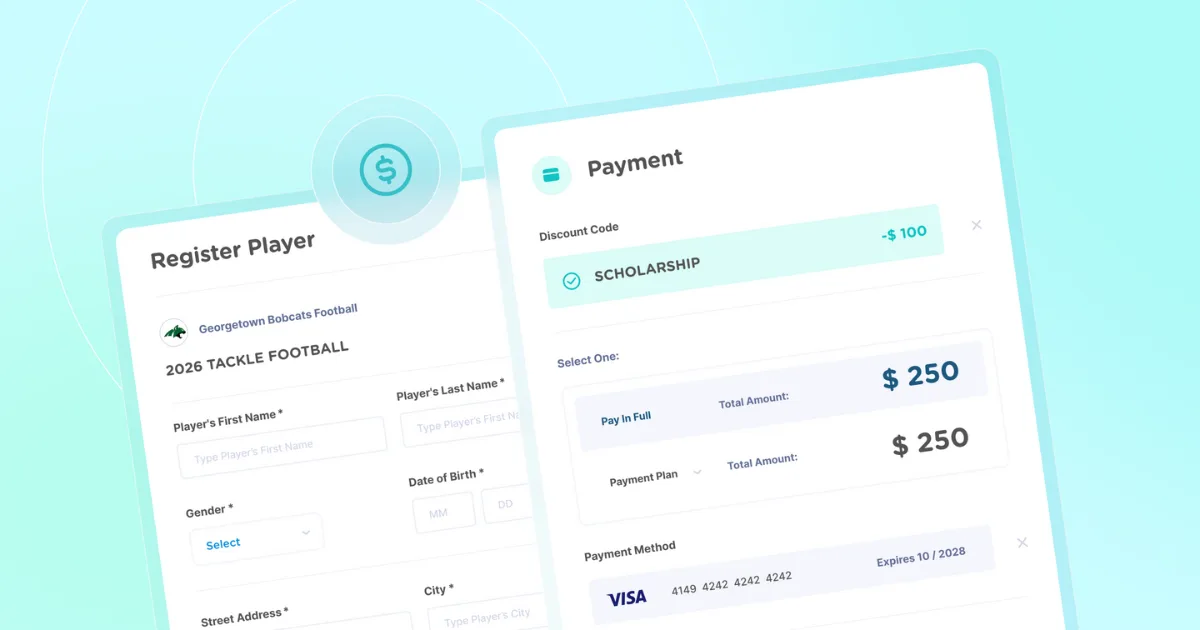
If you’re using Jersey Watch to collect registration and online payments, these questions are added by default so you don’t have to worry about them.
Age verification and proof of age
Collecting a date of birth is one step. Confirming it is another. Most leagues place players by age or grade, so a single wrong birthday can put a child in the wrong division and create a problem that is hard to undo once teams are set.
Start by setting an eligible birth date range on each program, so a family cannot sign up for a division their child has aged out of. Then decide whether you need proof, and ask for it on the same form instead of sending a separate email after the fact. Forms of proof are typically items like a birth certificate, a school record, or a photo ID.
Keep in mind that collecting a document is not the same as checking it. Someone still has to open each file and compare it to the birth date on the form, so decide who does that and when.
With Jersey Watch, you can create a player registration form that already includes a mandatory DOB and primary contact field. Plus, you can modify the form by adding age eligibility requirements and a file upload question for documents. The key is to have your form collect all needed information at registration.
Parent or guardian information
Ask for one primary contact and require their full name, email address, and mobile number. Many youth athletes may need a secondary contact but make this field optional to allow for faster registration.
Use built-in validation to require a 10-digit phone number and a valid email address, which helps prevent incomplete or incorrectly formatted contact information. Since a child's primary contact may not be a parent, use neutral field labels such as "Primary Contact Name" instead of "Mother's Name."

Online registration will automatically require valid phone numbers and emails so you don’t get any inaccurate information. Contact information is automatically stored and sorted for you so you can send messages to groups during your season.
Emergency contacts and medical information
Accidents happen, so it's important to know who to contact and how to respond. Requiring an emergency contact's name and mobile number supports quick communication if an issue comes up. This may be the primary contact, another family member, or a medical professional such as a pediatrician. Being prepared to respond in urgent situations is a key part of keeping youth sports participants safe.
You can also include an optional section for relevant medical information. A short text box or file upload allows families to share information such as allergies, medical conditions, or doctor's notes that coaches should be aware of during the season.
Many leagues include a simple authorization on their form allowing organizers to seek emergency medical care if a parent or guardian can't be reached. Clear phrasing here helps avoid delays in urgent situations and gives families confidence that their child's safety is a priority.
Program selection, uniforms, and fees
Your form should clearly outline key program details so families know what they're signing up for:
- Program selection: Explain how players are grouped, whether by age, grade, or skill level
- Uniforms: Use a dropdown to collect uniform or jersey sizes
- Fees: List pricing upfront and explain what's included
- Optional events: Include add-ons such as skills clinics or fundraising events
Keep this section easy to understand for first-time registrants. If pricing or program options need more explanation, link to a separate page with additional details to reduce questions and follow-up.
Required waivers and agreements
Your registration form should include a liability waiver, a code of conduct acknowledgement, and a refund policy. These agreements help protect the league while clearly outlining expectations and responsibilities for families and players.
Keep waiver and policy language clear and easy to understand. A well-designed registration template can streamline this section by presenting agreements in a consistent format that makes them simple for parents to review and accept.
Parent or guardian consent
For a youth program, the person filling out the form is almost always a parent or legal guardian, not the athlete. Make sure your form is set up in a way that makes sense for youth registrants and be clear about which items they are agreeing to on the child's behalf.
Most leagues group consent into a short list: the liability waiver and code of conduct above, permission to seek emergency medical care if no one can be reached, and permission to contact the family by email or text during the season.
Which agreements your organization needs is a question for your board, your insurer, or your governing body. Once you decide what is needed, be sure to lay the information out clearly. Show the full text of anything you ask a family to agree to, rather than a one-line summary with the details somewhere else.
Jersey Watch makes it simple to collect consent. The waiver question allows you to upload a PDF or paste in waiver text, and families check a box to acknowledge agreement before they can submit. If you need a handwritten signature, provide the document before registration and use a filed upload question instead.
Helpful optional questions for smoother communication
Optional fields can help administrators plan ahead without adding friction to the registration process. Keep these questions limited and straightforward so registration stays quick and parent-friendly.
Volunteer interest
Volunteers power your league and help strengthen the broader community. Use your registration form to gauge interest and identify potential volunteers early in the season.
Use a dropdown menu for roles such as:
- Coach
- Assistant coach
- Concessions
- Field setup
- Equipment manager
- Team parent
Keep this section approachable and low-pressure by including an opt-out option like "Maybe next season" or making the question optional.
Sponsorship interest
Sponsorships are a way to support the team while promoting local fundraising efforts. Including this option on your registration form helps spread the word, reduces the need for awkward one-off requests, and can prompt parents to think about companies or employers that may be interested in getting involved.
Parents can indicate their interest, pay a one-time sponsorship fee, or request more information. Be sure to clearly outline any benefits, such as displaying a business name on a team shirt.
Additional player notes
Include a text box where parents can share helpful context, like their child's experience level, scheduling conflicts, or other details coaches should be aware of. Keep this field optional and open-ended, since not every parent will have additional information to include.
Photo release or media consent
Media permissions give leagues the ability to share photos or videos on official youth sports websites, social media, and other league communications. If your organization plans to use team photos or highlight players publicly, this permission is typically required.
Including clear opt-in language on your registration form (or a standalone consent form) improves transparency and helps prevent confusion or conflict later in the season.
Common mistakes to avoid when creating your registration form
For busy families, registration is just one more task to complete. The most common issues come from confusing language or asking for more information than necessary. Here's what to avoid when building your registration form.
Making the form too long
Too many required questions can frustrate parents and lower completion rates. Focus on collecting only the most important information, clearly label waivers and agreements, and make it easy for registrants to skip optional fields.
Using open text fields instead of dropdowns
Open text fields often lead to typos and inconsistent answers. Use dropdowns when possible — such as for grade level, uniform size, and volunteer roles — to keep data consistent and easier to sort.
You don’t want a bunch of players asking you for uniform sizes that you don't have. Use a dropdown question so you get clean information from each participant.
Complicated pricing structures
Clearly outline pricing so registrants understand what they're paying for. If you offer optional add-ons, such as preseason boot camps, list them separately from the standard program to avoid confusion.
It's also best to limit the number of discounts you offer. Instead of stacking multiple promotions, consider one or two simple options, such as a multi-child or early-bird registration discount.
Relying on paper forms or spreadsheets
Paper forms and spreadsheets are easy to misplace and can be difficult to read or interpret. Manual tracking and data entry often introduce errors as information is passed between people or systems. Switching to digital forms keeps everything in one place and reduces the risk of missing or inaccurate data.
Not requiring valid emails or phone numbers
It's common for families to move quickly through registration and miss small details, like omitting an area code or misspelling an email address. Without validation in place, volunteers may need to follow up multiple times just to confirm basic contact information.
Build a parent-friendly form that saves time with Jersey Watch
A clear, well-designed registration form sets the tone for the entire season. It helps families complete sign-ups quickly, gives volunteers accurate information from the start, and reduces the need for follow-up or manual fixes later.
Jersey Watch's form builder makes it easy to create a customizable youth sports registration template you can reuse season after season. Along with registration, the platform keeps payments, communication, rosters, and key details in one place, so volunteers aren't juggling multiple tools or spreadsheets.
Ready to simplify registration and spend less time on admin work? Sign up for Jersey Watch to get started!
FAQs
What should a youth sports registration form include?
A youth sports registration form should collect basic player information, like date of birth, grade, uniform size, and any details used for placement. Require at least one primary contact's email address and phone number, and clearly outline pricing before payment. Keeping the form simple and using dropdowns helps ensure cleaner, more consistent data.
How long should a youth sports registration form be?
Most forms only need a small set of required questions along with formal agreements, such as a code of conduct acknowledgement. Fewer required fields typically lead to higher completion rates. Additional questions can be included as optional fields that parents can skip if they don't apply.
Should leagues collect payments directly in the form?
Yes. Collecting online payments during registration makes it easier to track who has paid and reduces the need to handle cash or checks. This helps volunteers stay organized and spend less time following up on outstanding balances.
What optional questions can help administrators plan better?
Optional questions can help you gauge interest in volunteering or sponsorship opportunities and give parents space to share helpful context. For example, families may want to note scheduling conflicts, like a planned vacation later in the season.
Why is a digital form better than paper?
Digital forms keep information organized and easier to manage. They allow you to validate entries like phone numbers and email addresses and eliminate issues like illegible handwriting or misplaced forms.
How do you verify a player's age during online registration?
Most leagues do two things. First, they set an eligible birth date range on each program, so families can only register for the division their child qualifies for. Second, they ask for a document when they need proof, such as a birth certificate, a school record, or a photo ID. Collecting a document is not the same as checking it, so someone on the board still compares each file to the birthdate on the form.

Tim GusweilerCo-Founder / CEO
Tim is the Co-Founder of Jersey Watch, where he works with the product, marketing, and customer support teams to build software for youth sports organizations. He writes about youth sports management based on years of experience working with league administrators, coaches, and volunteers, along with a lifelong passion for sports.


