
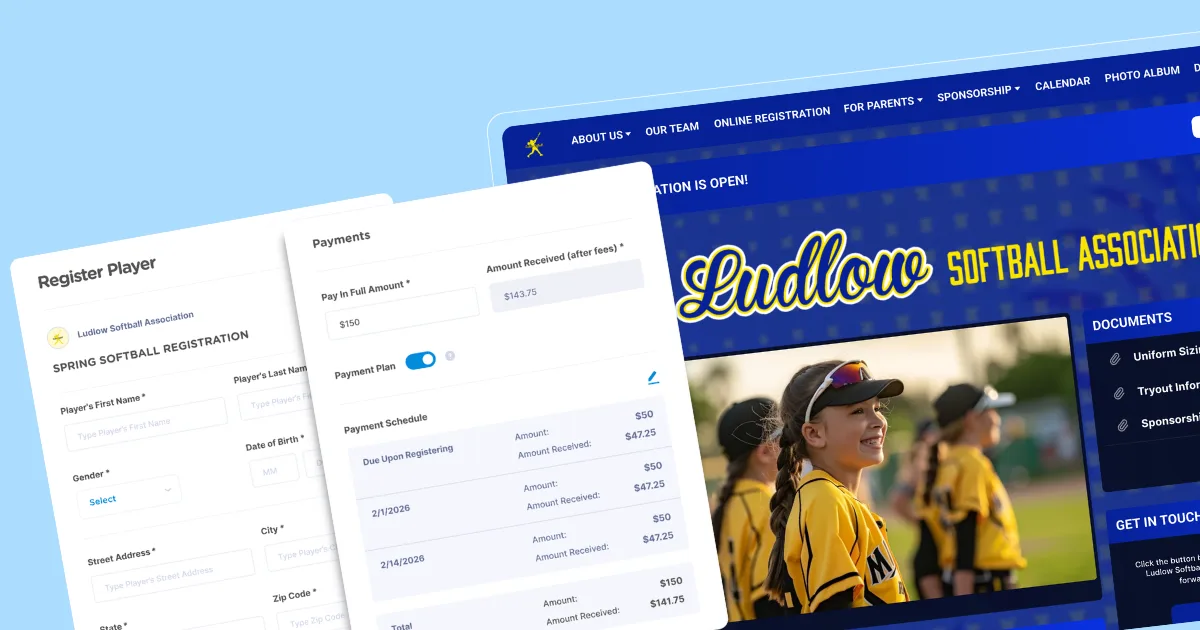
It’s that time again. A new season means collecting player information, payments, waivers, medical details, and consent forms — often all at once. For volunteer-run clubs, that can feel like a lot to manage.
You can’t skip registration, but you can make it much easier. A well-designed online sports club registration form keeps everything in one place, so you’re not chasing paperwork or missing key details.
Moving your process online saves time, cuts down on errors, and makes sign-up easier for busy parents. It also gives you a clear view of who’s registered and what’s still missing at any point in the process.

What is a sports club registration form?
A sports club registration form is a standardized document or digital form that collects the information needed for someone to join a team or program. This application form typically includes player details, parent or guardian contacts, medical information, and required consents or waivers.
Clubs use registration forms to enroll players in all types of programs, including youth leagues, travel teams, adult leagues, camps, and tournaments.
A thoughtfully designed registration form gives coaches and organizers the information they need to run things smoothly and keep players safe. It also helps reduce legal risk by capturing required agreements upfront.
While registration used to be handled on paper, most clubs now use online forms to simplify the process.
Why move your club form online
Moving your club forms online doesn’t have to be complicated, but it does take a little setup. If your paper process is working well enough, you might wonder if it’s worth making the change.
There are plenty of reasons to switch. Online forms don’t get lost in backseats, bags, buses, or mailboxes. They also remove the handwriting guesswork and capture information digitally from the start, so volunteers don’t have to spend hours re-entering data into spreadsheets. That alone cuts down on errors and saves time.
An online sports registration system also makes things simpler for parents. They can complete forms on any device, pay securely, and stay up to date with automatic team notifications. Instead of tracking down paperwork, they can register whenever it fits their schedule.
On your side, everything stays organized. Online tools can automatically sort responses into rosters, so you can quickly see who's registered and who still needs to sign up. This becomes especially important when you're trying to keep track of last-minute registrations or follow up with families who haven’t completed the process.
Must-have sections in every club registration form
Some details will vary based on your club. For example, adult rec leagues and youth travel clubs won’t collect the exact same information or require the same waivers.
But certain fields are essential across the board. Some support safety and legal protection, while others simplify communication with players and families. Skipping these now can create bigger headaches later.
These are the sections that every club registration form should include.
💡Pro tip: Keep your forms focused on the necessary information so parents can finish them quickly without abandoning the process.
Participant and guardian details
Start by collecting basic personal details for both players and guardians.
For players, include:
- Full name
- Date of birth
- Home address
- Gender (if managing multiple, gender-specific teams)
- Email address (if you communicate with players directly)
For guardians, collect:
- Full name(s)
- Phone number
- Email address
Accurate contact information helps ensure families receive schedules, updates, and important notifications. It also means you have the right details on hand if something comes up during a sports event or practice, like an injury or other medical concern. This is especially important during last-minute changes, like weather delays or schedule updates, when you need to reach families quickly.
💡Pro tip: Add a preferred contact method field (text, email, or phone call) to improve response rates and streamline communication.
Emergency contacts and medical information
Make sure you have at least one emergency contact for every player. For minors, this should be someone other than the primary guardian.
For each emergency contact, collect:
- Full name
- Relationship to the player (grandparent, neighbor, family friend, etc.)
- Phone number
You’ll also want to gather key medical information, including:
- Allergies and typical reactions (including medications or environmental triggers like bee stings)
- Chronic conditions (such as asthma or diabetes)
- Current medications
- Physician contact information
Having this information readily available helps coaches and emergency responders act quickly and appropriately if a health situation comes up, and supports overall player safety and wellness throughout the season.
💡Pro tip: If you carry over information from previous seasons, remind parents to review and update medical details each year.
Consents and waivers
A digital sports club registration form makes it easy to capture consent and waiver information. Look for platforms that let you add checkboxes for key agreements, such as liability waivers, photo release permissions, and acknowledgment of club rules.
You’ll also want e-signature capability to collect parent or guardian consent. Mobile-friendly e-signatures make the process simple for parents and keep your club on solid legal footing.
Payment and fundraising options
Most platforms that support digital registration forms also let you collect payments at the same time. Connecting registration and payments saves time for both clubs and families, and helps you get paid earlier and more consistently.
You can also include a donation option. For nonprofit clubs, even small contributions during registration can add up quickly.
Other payment fields and options to consider:
- Equipment purchases (uniforms, gear, or team merchandise that families can select during registration)
- Flexible payment options (such as payment plans, partial payments, or pay-later options to make fees more manageable)
- A volunteer option, possibly in exchange for a discount (like helping with coaching, concessions, or team coordination)
If your organization offers financial assistance or scholarships, include a checkbox or field so families can request support.
Step-by-step: Build your form in minutes
If building a registration form sounds complicated, you’re not alone. Between payments, waivers, and keeping everything organized, it can feel like a lot.
The good news is that most online registration tools and club management platforms do the heavy lifting for you. With drag-and-drop builders, busy coaches and volunteers can create clean, professional forms in just a few clicks — no technical skills needed.
Most clubs can have a form up and running the same day, even if they’ve never done this before.
Here’s how to set up your form step by step.
Choose a template or start from scratch
Start by laying out your basic framework. If your club has unique requirements, you may prefer to build your form from scratch. But for most clubs, the easiest approach is to use a pre-built sports enrollment template that already includes many of the fields you’ll need.
Templates typically include standard sections like contact information, medical details, and waivers, all of which you can customize to match your club’s needs.
Using a youth sports club management platform like Jersey Watch can save time and help ensure you don’t miss any critical fields.
Add, reorder, and streamline fields (then brand the form)
Use the drag-and-drop tools in your platform to add any missing fields. At a minimum, make sure you include:
- Participant details
- Emergency contacts
- Medical information
- Consents and waivers
- Payment
Then arrange your fields in logical order. A simple structure looks like this:
personal info → emergency/medical → waivers → payment
Review your form and remove anything you don’t truly need. A form only works if people complete it, so keeping it as short as possible helps reduce drop-off.
If available, add your logo and apply team colors to the form or page. This reassures parents they’re in the right place and gives your club a more polished look. Platforms like Jersey Watch make this effortless with built-in branding tools.
💡Pro tip: Clearly mark required fields so parents can quickly see what they need to complete.
Enable online payments and e-signatures, then publish and test
Some platforms support collecting online payments, though you may need to connect a payment processor first. Setting this up allows you to collect registration fees securely during sign-up.
You’ll also want to configure consents and waivers. Depending on your platform, this could be a simple checkbox or a full e-signature field. This step helps protect your club while making things easier for parents, who won’t need to print, sign, and scan paperwork.
Before publishing, test the full experience. Check the form on multiple devices, including mobile (iOS and Android), to make sure required fields, payments, e-signatures, and confirmation emails all work as expected.
Finally, decide where your form will live. If you have a club website, you can embed it directly on your site. If not, share a link through email and social media so families can access it easily.
Getting parents to complete your form
Tracking down paper forms is a hassle. Moving your process online solves that problem but introduces a new one: form abandonment.
Even the best-looking form won’t get completed if it’s too long or confusing. These simple tweaks can reduce friction and help improve completion rates.
Keep questions short and clear
Use simple words and plain language, not jargon. “Does your child have any allergies?” is much easier to answer than “Has your child exhibited symptoms of anaphylaxis when exposed to organic or chemical substances?”
If you don’t need it, remove it. Every extra field makes the form take longer to complete, increasing the risk of drop-off. It also adds unnecessary clutter to your records.
For example, if you’re asking for details like prior playing experience, preferred positions, or additional background information that you don’t actually use for team placement or communication, leave those fields out. Keeping your form focused on what’s truly needed helps parents move through it faster and improves completion rates.
💡Pro tip: Forms are easier to complete when they follow a clear, logical flow. Group related questions together so everything feels organized and easy to follow.
Make the form mobile-friendly
People expect to be able to do just about anything from their phones. In fact, mobile devices now account for over half of all global web traffic.
So your form needs to work well on mobile, too. Buttons and fields should be large enough to tap easily, and the on-screen keyboard shouldn’t block fields or break scrolling.
Another way to improve mobile usability is to avoid long text fields. If a dropdown or checkbox will do the job, use it.
If your form is on the longer side, consider splitting it into multiple pages. Seeing progress can make the process feel more manageable.
Sharing the form and tracking sign-ups
Building a great form is just the first step. Next, you need to make sure families see it and complete it.
Tracking sign-ups helps you stay organized and quickly follow up with anyone who hasn’t finished registering.
Share everywhere and follow up consistently
Anywhere you connect with players and families is a place to share your registration link. That includes email newsletters, social media posts, and team group chats. You can also add it to flyers (using a short link) and feature it prominently on your club’s homepage.
Urgency helps, too: a clear deadline drives action. Set one early, remind families consistently, and share progress updates like “Spots are filling up!” or “Only a week left to register!” to build momentum.
💡Pro tip: Send a reminder a few days before your deadline to catch families who meant to register but haven’t yet.
Simplify sign-ups and payments with one online sports registration system
A well-organized online registration form helps you collect everything in one place, from player details and medical information to waivers and payments. Moving your process online saves time, reduces errors, and eliminates the need to chase down paperwork or follow up on missing information.
Jersey Watch brings registration, payments, waivers, and communication into one system built specifically for youth sports teams and clubs. You can create professional forms, track sign-ups in real time, keep families informed, and even build a website in minutes — all without needing technical experience or multiple tools. This means fewer spreadsheets, less back-and-forth, and a clearer view of your entire registration process.
Simplify registration for your next season: Create your sports website and registration flow with Jersey Watch today.
FAQs
What information should a sports club registration form collect?
A sports club registration form should collect participant name, date of birth, parent or guardian contact details, emergency contacts, medical information (allergies, conditions, medications), and signed waivers or consents. Include payment fields if you plan to collect registration fees online.
How do I create a sports registration form for free?
Many online form builders offer free templates for sports enrollment that include standard fields like contact information and medical details. Choose a platform that also supports customization, online payments, and e-signatures if you want to streamline the full registration process.
Can parents sign waivers electronically on registration forms?
Yes, most online registration systems support e-signatures that are legally valid for liability waivers and parental consents. This removes the need to print, sign, and scan paper documents.
How do I get more parents to complete registration forms?
Keep forms short by asking only essential questions, make sure they work well on mobile devices, and send reminders to families who haven't finished. A clear deadline and sharing the link across email and social media can also improve completion rates.
What's the difference between a player registration form and a team registration form?
A player registration form collects individual participant details, medical information, and consent for one athlete. A team registration form typically includes a roster of multiple players, coach information, and group payment options for tournaments or league registration.

Sierra SwigertOperations Manager
Sierra Swigert is the Operations Manager at Jersey Watch. She works directly with youth sports organizations every day and writes educational resources based on her firsthand experience supporting league administrators and volunteers, as well as her background competing in cross country and track.


