
Table of Contents
Your registration form closes, and now you're staring at a spreadsheet with 140 names, a dozen unpaid balances, three duplicate signups, and two coaches texting you asking when they'll get their team lists.
This is the moment when many volunteer-run leagues start to feel the pressure.
Knowing how to manage team rosters for a youth sports league means turning those completed registrations into accurate team assignments, confirmed eligibility, verified coach coverage, and one reliable record everyone trusts, replacing the scattered files that typically pile up across email threads.
Good rosters don't happen by accident. They come from clear rules for who goes where, realistic limits on team size, and a simple system for keeping everything current as the season moves.
By the end of this, you'll have a repeatable process for building rosters you can hand off to the next volunteer without a headache.

Registration list, league roster, or team roster: What's the difference?
A registration list contains all signups, a league roster contains eligible players, and a team roster contains the players and approved adults assigned to a specific team. Little League requires Player Agents to prepare rosters for Board of Directors approval, a good reminder that rosters need real ownership.
How each list feeds into the next
Registration data becomes a usable team roster by moving through payment confirmation, eligibility review, division grouping, team assignment, approved coach access, and parent communication.
Here's the handoff in order:
- Collect online registration and payments.
- Review eligibility.
- Group players by division.
- Assign teams based on predetermined criteria.
- Give approved coaches access.
- Communicate assignments to parents.
Keep the working roster lean at each stage. You only need contacts, relevant medical notes, and coach information to move players forward smoothly. For the full field-by-field breakdown, check out this team roster template.
How to turn your registration list into team rosters
Turn registrations into rosters by cleaning your player pool, setting assignment rules, balancing team sizes, and confirming cleared coaches before publishing anything. That order matters, whether you're running a rec league, a travel program, or a summer camp with anywhere from 50 to 1,000 kids and no dedicated office staff.
With that in place, work through the four steps below.
Step 1: Close registration and review your player pool
Before assigning a single player to a team, resolve every unpaid registration, missing waiver, incomplete detail, and duplicate record. Roster building starts only after that cleanup.
Work through your full player pool in four passes:
- Export or open the complete list.
- Flag anyone missing a waiver, payment, birthdate, or grade.
- Remove or merge duplicate entries.
- Split the list into confirmed players and unresolved records.
Many volunteers spend a lot of time on this cleanup because they have to compare the registration export against separate payment emails and waiver forms to figure out who has completed everything.
Instead of using disconnected systems, look to an all-in-one sports software platform that has registration and payment collection combined. Requiring questions to be completed, waivers to be signed and payments to be made takes the work off the organization.
If unpaid or incomplete signups are a recurring headache before you get to rosters, it's worth looking at why players aren't registering for your sports league to fix the problem before it starts.
Step 2: Set your team assignment rules
Document and rank your assignment rules before placing a single player, so volunteers can explain every decision the same way, whether it's the coach or a frustrated parent asking. Written rules keep placements consistent even when three different board members are handling requests.
Common categories include sibling requests, school or grade groups, coach's children, friend requests, competitive divisions, and returning-player placement. Mark which ones are mandatory, like keeping siblings together, and which are preferences you'll honor when possible, like friend requests. Apply your ranked list consistently for every player, and write down any exceptions before rosters go public.
Step 3: Balance teams by age, skill, or grade, and set roster size limits
Balance every team in a division using the same age, grade, skill, and roster-size criteria, then check the applicable roster limits before publishing anything. Fair teams come from applying the same rules to every roster, rather than filling spots on a first-come, first-served basis.
Before finalizing anything, line up your division's teams side by side. Compare average age, grade level, skill distribution, and total player count so no single team ends up stacked or shorthanded.
The emphasis shifts depending on your program:
- Recreational leagues usually aim for even participation across teams.
- Travel teams often rely on tryouts or evaluation scores.
- Camps typically group kids by age or experience level instead of building competitive rosters.
Before you publish, confirm the roster size limits set by your sport, state association, governing body, or local league bylaws. A team built solely on requests can quietly exceed those limits.
Step 4: Confirm coaches and finalize rosters
A team roster becomes official only after you've confirmed coach coverage, verified every assigned adult, and locked the list from further edits. Player assignments alone don't make a roster real. Coaches and volunteers have to be in place first.
Run through this sequence before publishing anything:
- Confirm a head coach and any required assistants for each team.
- Verify each adult has completed any necessary training or background check.
- Have one designated roster owner give final approval.
- Share a clean, permission-controlled version with coaches.
That last step matters more than it sounds. Don't send private player details, like medical notes or home addresses, to any coach until the league approves their clearance.
How to handle roster changes after the season starts
Manage every in-season roster change through a single approval process and a shared log that records what changed, when, and who approved it. Schedules shift, injuries happen, and family availability changes once the season is underway.
A change log gives you one place to track these moves instead of scattered texts and emails. Apply that same log to call-ups, transfers, and waitlist additions below. These changes are normal season management.
Managing mid-season call-ups and transfers
A call-up moves a player temporarily or permanently to a higher-level team, while a transfer moves a player from one team to another within the same division. Both change who's on the field, so both need approval before anyone shows up to a new practice.
Follow this order every time:
- Document the reason for the move.
- Confirm the receiving team has eligibility room and an open roster spot.
- Get sign-off from the league director, both coaches, and the family.
Skipping any of these steps is how leagues end up with disputes over playing time or eligibility down the road.
Once everyone agrees, update the central roster immediately. Then notify affected families through your league's approved communication channel so there's a clear record for everyone to refer back to.
Keeping waitlists organized without losing track of players
Keep waitlisted players in the same system as active registrations, but separate with timestamps, division tags, contact notes, and clear offer deadlines. Those details matter the moment a roster spot opens up.
When one spot opens and five families are waiting across scattered email threads, each expecting an answer, it's easy to lose track of who signed up first or who you already contacted.
Keep waitlisted names in a dedicated list or tag within your existing registration platform, rather than in a side spreadsheet. Add a timestamp, division, and quick contact note for each family so anyone on your team can pick up where you left off. Before reaching out to the next player, set an offer deadline and record whether the family accepted, declined, or didn't respond.
How to keep youth athlete data safe and compliant
Protect youth roster data by collecting only necessary information, limiting access by role, documenting approved adults, and using established channels for family communication. That means fewer optional fields, a clear list of who can see contact info, and written records of which adults are cleared. NFHS guidance on minor-athlete communication supports pairing documented rules with controlled roster access.
What COPPA means for storing players' information
COPPA covers online personal information collected from kids under 13. If your registration forms or roster system touches that age group, it's worth understanding how the FTC's Children's Online Privacy Protection Rule applies to what you collect, how parents stay involved, and who can access that data.
Start with a quick audit of your registration form:
- Cut any field you don't need.
- Make sure a parent or guardian completes signup on behalf of younger players.
- Limit roster access to coaches and staff who need it.
Take a look at your platform's privacy policy while you're at it, since that shapes how your league's data gets stored and shared.
This is general awareness, not legal advice. For questions about your league's specific obligations, talk to a qualified attorney.
Coach and volunteer verification status
Each team roster should show internally which coaches, assistants, and managers are cleared for their roles and permitted to access family information, distinguished from those who simply signed up to help. A status field does the job: pending, cleared, expired, or not approved next to each adult's name.
Skip the details behind that status. Show only the current clearance level on the roster itself, keeping background-check results and screening notes elsewhere to keep sensitive information out of shared spreadsheets.
This matters more than it might seem. The U.S. Center for SafeSport received nearly 9,700 abuse and misconduct reports in 2025, almost 20% more than in 2024, which is why verification can't live on a checklist someone forgot to update. Tie that status directly to team assignments and messaging permissions, so no adult gets access to player contact information until the league confirms their clearance and keeps it current.
Connecting background checks to team rosters
Connect every coach, assistant, and team manager to a current verification status before granting access to player contacts or team messaging. Each team roster should link to real people with real statuses.
Before contact access opens up:
- List every coach, assistant, and manager assigned to the team.
- Check each person's current verification status.
- Withhold access to private family contacts while a status is pending or expired.
- Share private family contacts and details with adults only after clearance comes through.
You don't need to build your own policy from scratch. This background check resource walks through the full policy and screening frequency your league should follow.
Spreadsheets, paper, or software: Picking the right roster method
Paper and spreadsheets can support a small, stable league with one roster owner and few seasonal edits, but dedicated software is a better fit once multiple teams, shared updates, permissions, communication, or volunteer turnover come into play.
Where manual methods and volunteer turnover put roster data at risk
Roster data becomes vulnerable when it relies on a single volunteer's personal spreadsheet, inbox, or clipboard. The risk shows up the moment that volunteer steps away.
You've probably lived this. A new board member inherits three spreadsheets with three different save dates, while the most current changes sit buried in the former registrar's personal email account. Nobody's sure which contact list is accurate, who has permission to edit it, or which version to hand the coaches. That's how lost edits, outdated phone numbers, and unclear permissions turn one roster into several conflicting ones.
Fix this before it happens. Store the official roster somewhere the organization controls. Name one owner and a backup, write down who has access, and save a locked, archived copy at the end of every season.
What to look for in a roster tool built for volunteers
A roster tool built for volunteers should connect registration data, team assignments, website updates, communication, and season operations in one place so nobody has to hunt for information. Look for these capabilities when evaluating options:
- Online registration and payments
- Website updates for rosters and schedules
- Team assignment tools
- Family messaging
- Scheduling
- Role-based permissions
- Background check tracking
- Data exports
- Straightforward support
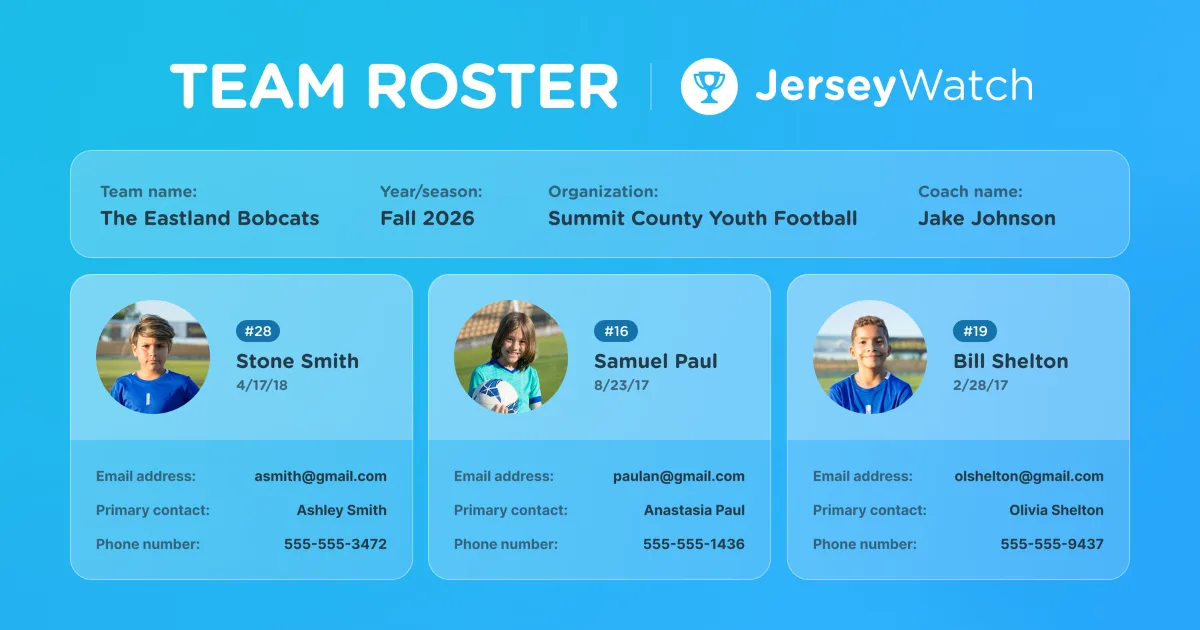
Prioritize simple support and a clean volunteer handoff over a long feature list. Jersey Watch has online registration and payments which include a team management feature. During or after registration, administrators can create teams, assign registrants to teams through various methods and export rosters for coaches. Having a connected workflow gives you more room to focus on growing your league instead of managing spreadsheets.
With Jersey Watch you can create teams then assign registrants to specific ones using filters, manual assignments or randomization.
Give your league a roster system that works all season long
A roster system that works all season long keeps a registration-day spreadsheet from turning into a headache by week three. When one clean list of names and contact info flows straight into balanced teams, verified coach logins, and a text thread parents read, roster season stops feeling like a scramble and starts feeling like a system.
Jersey Watch keeps registration, websites, background checks, and communication connected in one place, so the records you start the season with carry forward instead of scattering across five different tools and a group text nobody remembers to update. When your season starts with clean data flowing into a single system, the rest of the workflow becomes much easier to manage.
Ready to turn this season's signups into rosters you can trust from day one? Set up organized team rosters today.
FAQs
How do you create a youth sports team roster?
Creating a youth sports team roster starts with a completed registration list, sorted by division, age, grade, skill level, and league eligibility rules. Assign players to teams using the same written criteria, confirm coaches, verify roster size limits, and save the approved roster in a single shared location. Volunteers can then use that record for schedules, communication, uniforms, and in-season changes.
What information should be included on a youth sports team roster?
A youth sports team roster should include each player's name, birth date, division, team assignment, parent or guardian contacts, and emergency contact details. A league may also need medical notes, waiver status, uniform size, payment status, and coach or volunteer verification status. Limit private details to approved administrators and coaches who need the information for their roles.
What's the difference between a registration list, league roster, and team roster?
A registration list contains everyone who signed up, including players who may still need to complete payments, waivers, or eligibility checks. A league roster contains the players approved for the season, while a team roster assigns those players and approved adults to specific teams. Keeping the records separate makes it clear which information the league is still reviewing and which assignments are final.
How should coaches and league admins manage roster changes during the season?
Coaches and league admins should manage roster changes by recording every transfer, call-up, waitlist addition, and player removal in a single central roster system. Use a consistent approval process before changing an assignment, then update the official roster and notify affected families through an approved communication channel. A simple change log also gives future volunteers a clear history of what changed and why.
What is the best software for youth sports teams and roster management?
The best roster software for a youth sports organization connects registration and payments with website updates, team assignments, messaging, schedules, adult verification, exports, and controls over who can see sensitive information. The right choice should match the league's size, budget, number of teams, and volunteer turnover. Prioritize a simple setup, responsive support, and one reliable record over features the organization won't use.

Nick RattermannCo-Founder / CTO
Nick Rattermann is the Chief Technology Officer at Jersey Watch with more than 10 years of experience building software for volunteer-run youth sports organizations. He writes about youth sports technology and league management, drawing on both his technical expertise and his experience as the parent of a son who plays soccer and basketball.


