
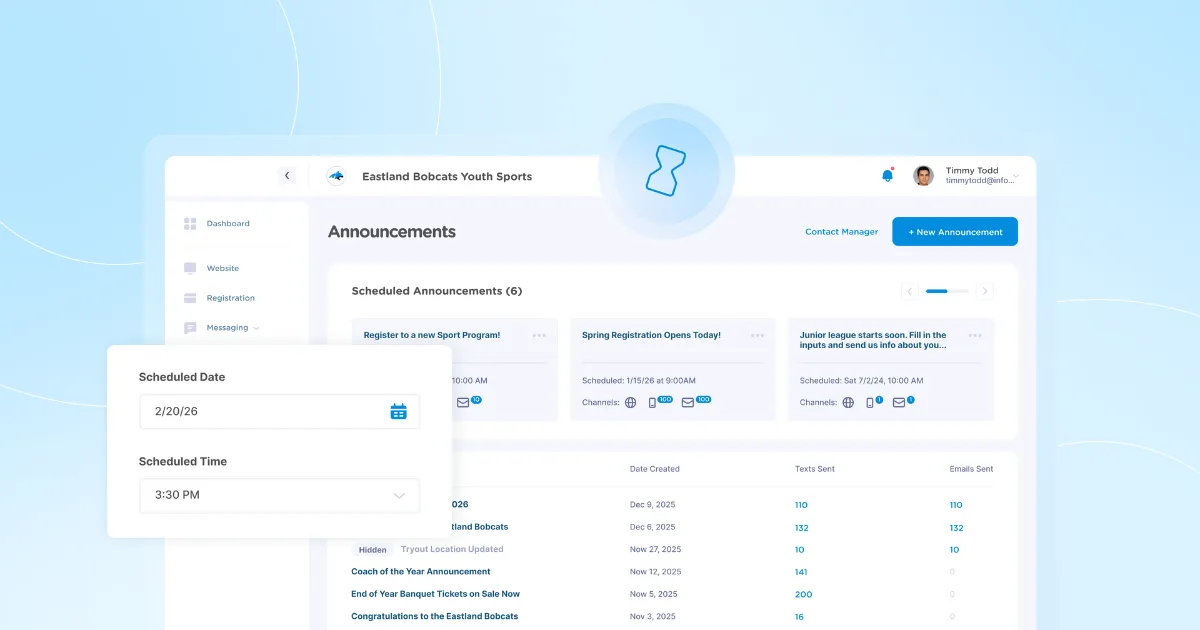
One of our most frequently requested features is here! Now you can schedule Announcements to send at a future date and time.
For example, create an Announcement about registration opening now, and schedule it to send on the day registration begins.
Start Sending Your Message
Click "Announcements" then "Send Announcement" in your account to get started.
Choose "Send Later"
Next, choose "Send Later" and select the date and time you want to send the Announcement.
Choose Recipients, Write your Message, and Schedule!
Next just choose who you want to send the message to, add your content, and schedule.
Edit before the Send Date
Once your announcement is scheduled, you can share it with other Admins or make edits on the Announcements page in your account.
What's coming Next?
Check out the Product Roadmap page to see what we're working on next. A few updates coming soon:
- Edit Generated Schedules Before Publishing - You’ll be able to edit auto-generated schedules before publishing them to your website. This means you can adjust matchups, times, or locations directly in the draft schedule, giving you more flexibility and control before finalizing your season. Many more improvements to the schedule generator coming soon as well!
- Restrict Program Registrants by Birth Date - Admins will be able to set birthdate restrictions on registration programs, making it easier to prevent parents from accidentally registering for the wrong age group!
Questions about Scheduling Announcements, have product feedback or feature requests? Send our team an email at help@jerseywatch.com or Schedule a Call with our team.

Tim GusweilerCo-Founder / CEO
Tim is the Co-Founder of Jersey Watch, where he works with the product, marketing, and customer support teams to build software for youth sports organizations. He writes about youth sports management based on years of experience working with league administrators, coaches, and volunteers, along with a lifelong passion for sports.


